Showing posts with label Snapseed. Show all posts

Monday, July 13, 2020

Recent iPhoneography

I haven't just been going on weekly shooting excursions this summer, I've also been making a lot of work with my iPad and various apps. Here are some examples of recent work. All of these started with photos shot from various old magazines, textbooks, etc. using my iPad's camera, and were worked with various apps. I mainly use Procreate for the overall design and construction, but often other apps are involved as well. I use Snapseed to clean up the photos and do basic post production, for example. My love of both mid-century design and contemporary Japanese graphic design are evident in these. I do not consider myself a graphic designer, but I am influenced by design. I don't consider these collage, although there is a collage aspect to some of them. They don't look like or share much of an aesthetic with most iPhonography I've seen either. Not sure what that makes them!


Friday, December 13, 2019

Posters


Poster #1
iPhoneography, 2019


Poster #2
iPhoneography, 2019


Poster #3
iPhoneography, 2019

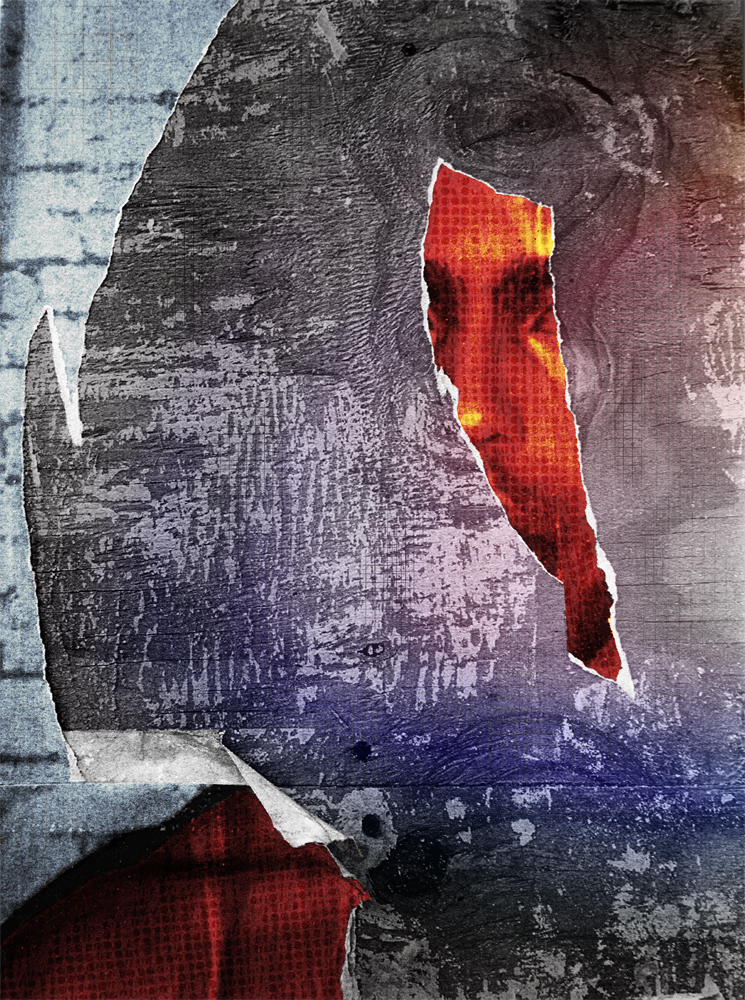
Exactly one year ago, on December 13, 2018, I was doing some shooting in Chicago's Bridgeport neighborhood and saw these posters stuck to plywood covering the windows of a vacant building. I liked the way the tears in these old posters simultaneously degraded the image yet added texture, visual interest and mystery. I tried working with the photos a couple of times, but never ended up with anything I liked. 
Earlier this fall, I gave it another shot. I imported them into my iPad, and giving myself the instruction to make them look as different from each other as possible, started working with them using various apps (mainly Procreate, but also Snapseed, Fragment and Halftone). This time, I liked the results.

Thursday, December 5, 2019

元気ですか'


元気ですか'
iPhoneography, 2019

Apps used: Phonto, Circular, Snapseed


I made this piece in about ten minutes a couple days ago. I was basically revisiting some photo apps on my iPad that I hadn't used in a while, and this was the result. The layout and main construction was done in Phonto, an app I quite like, even if I don't use it much.

The title, 元気ですか' (pronounced genki desu ka), is Japanese for 'how are you?'. Well, it kind of is, anyway. Translation can be difficult at times, and there's a lot of nuance lost when translating '元気ですか'' as 'how are you'. If you want a lengthly discussion that goes into all the nuance of that Japanese phrase and the ways it is used, look here. The pronunciation link above actually is for 'お元気ですか' (o-genki desu ka), which is the formal version you would use when speaking to a coworker or someone you don't know too well. I just liked the basic, Japanese 101 phrase with the rather grotesque photo in the piece, which is why I put it there.

Saturday, August 17, 2019

Road Food


Road Food
Hand made collage rephotographed and manipulated with iPad apps
2019

Friday, July 26, 2019

3 versions


untitled (v.3)
iPhoneography, 2019


untitled (v.1)
iPhoneography, 2019


untitled (v.2)
iPhoneography, 2019

Three slightly different versions of a piece I made on my iPad last month. The original photo was shot while teaching a shortened 3-week digital photo class during May and June. It's one of my students photographing a reflection in a puddle. I liked the gray, flat feel of the piece, so kept it pretty simple in post production. I like v.3, at the top of the post best, but all three versions work pretty well for me. Which is your favorite?

Monday, July 8, 2019

untitled (storefront)


untitled (storefront)
iPhoneography, 2019

I shot this photo in Chicago's Bridgeport neighborhood last December. I started playing with it in various iPad apps a couple months ago, and eventually ended up with the version you see here.

Tuesday, July 2, 2019

Soumaya


Soumaya
iPhoneography, 2019

This started as a photo of the Soumaya Museum in Mexico City that I shot last December. The building is really interesting (more so than the art collection inside it, which, while not bad, seems to emphasize quantity over quality), so I used various iPad apps and focused on design over content. That works visually, and also relates to the museum collection in a subtle way.

Monday, June 24, 2019

untitled iPhoneography


untitled
iPhoneography, 2019

A photo of a sculpture in the Art Institute of Chicago (I think-it may actually be located in the National Gallery of Art in Washington, DC, can't remember offhand), run through an online glitch generator, then worked with various iPad apps (Snapseed, Procreate, Fragment).

Sunday, June 16, 2019

Gray Skies


Gray Skies vers. 1
iPhoneography, 2017


Gray Skies vers. 2
iPhoneography, 2017


Friday, June 14, 2019

Alone in the City


Alone in the City
iPhoneography, 2019
apps: Snapseed, Inkwork, Procreate

Friday, April 5, 2019

untitled


untitled
iPhoneography/Scanography/Collage, 2018

Wednesday, March 27, 2019

Hamburger Lady


Hamburger Lady
iPhoneography/scanography/collage
2019

I took the name (but nothing else) for this piece from the horrifying Throbbing Gristle song.

Sunday, March 24, 2019

Sunday, March 10, 2019

Ministry of Culture


Ministry of Culture
iPhoneography, 2019

iPhoneography collage from photos shot in Mexico City. The building in the background is the Ministry of Education, which contains many Diego Rivera murals. Apps used: Snapseed, Fragment, Procreate.

Sunday, February 24, 2019

Tech Center


Tech Center
iPhoneography/digital collage, 2019

Sunday, February 17, 2019

The Librarian


The Librarian
iPhoneography/digital collage, 2019

I threw this together on my iPad a couple of weeks ago. There was really no idea behind it, I was just seeing if I could make something really quickly. Took me maybe 40 minutes total. It turned out pretty good. Nice and creepy.
The background photo is an underpass below railroad tracks near Chinatown in Chicago. The color comes from a second photo of something (can't remember what-I shot it as an abstract photo). The mannequin is from a photo I shot in Lima, Peru, layered with a date due page scanned from an old library book. Apps used: Snapseed, Procreate.

Wednesday, February 6, 2019

$50


$50
iPhoneography, 2018

Saturday, February 2, 2019

Murca


Murca
iPhoneography, 2018

Apps used: Snapseed, Procreate, Fragment


Friday, January 25, 2019

Underpass


Underpass
iPhoneography, 2018

Sunday, January 6, 2019

untitled


untitled
iPhoneography, 2018

Another of these old collages, reworked in Procreate on my iPad.