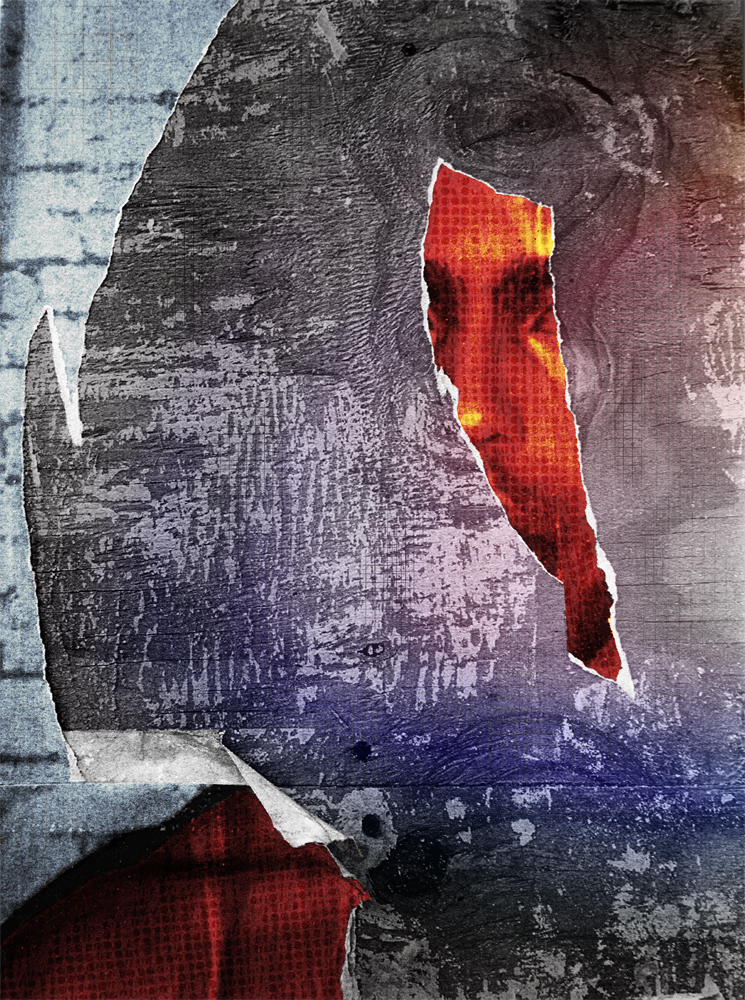
Here are some pieces made on my iPad a couple months ago. Recently I've been playing with shooting images from old magazines, textbooks, etc. and making at least two different pieces from the same image. These are some of what I've made.
Showing posts with label Procreate. Show all posts
Wednesday, June 2, 2021
Two Pieces, One Source
Here are some pieces made on my iPad a couple months ago. Recently I've been playing with shooting images from old magazines, textbooks, etc. and making at least two different pieces from the same image. These are some of what I've made.
Tuesday, May 25, 2021
2 Versions
Here are two different versions of a piece I made on my iPad a few months ago. Haven't posted them anywhere because I haven't titled them, and I thought they needed a title. Suggestions happily accepted.
Monday, July 13, 2020
Recent iPhoneography
I haven't just been going on weekly shooting excursions this summer, I've also been making a lot of work with my iPad and various apps. Here are some examples of recent work. All of these started with photos shot from various old magazines, textbooks, etc. using my iPad's camera, and were worked with various apps. I mainly use Procreate for the overall design and construction, but often other apps are involved as well. I use Snapseed to clean up the photos and do basic post production, for example. My love of both mid-century design and contemporary Japanese graphic design are evident in these. I do not consider myself a graphic designer, but I am influenced by design. I don't consider these collage, although there is a collage aspect to some of them. They don't look like or share much of an aesthetic with most iPhonography I've seen either. Not sure what that makes them!
Friday, May 22, 2020
ハイキュー
untitled
iPhoneography, 2020
I think I was channeling Alvin Lustig when I made this. I love mid century graphic design, and every once in a while I make something that shows that influence pretty strongly.
This started as a column of grainy B&W photos in an old sports instruction textbook. I shot that page with my iPad, and used iColorama and Procreate to make the piece.
I was thinking of titling it ハイキュー (Haikyuu), after the popular volleyball themed sports anime, but that seemed a little too cheesy, so I left it untitled. Cheesiness in a post title is fine!
Friday, March 13, 2020
the orb 4
the orb
iPhoneograpy, 2020
the orb
iPhoneograpy, 2020
the orb
iPhoneograpy, 2020
The final pieces (I promise!) for this spontaneous mini-series. Moving on to other things, even if I find more bowling photos.
Sunday, January 26, 2020
the orb 2
the orb
iPhoneography, 2019
the orb
iPhoneography, 2019
the orb
iPhoneography, 2019
the orb
iPhoneography, 2019
Here's the remaining four pieces in this series. I say remaining, but there's a few more in progress. I recently found another old sports book buried in my studio, and there were some bowling photos in it that I couldn't resist. Assuming those work out, there will be a few more posted here fairly soon.
Monday, January 20, 2020
the orb
the orb
iPhoneography, 2019
the orb
iPhoneography, 2019
the orb
iPhoneography, 2019
the orb
iPhoneography, 2019
the orb
iPhoneography, 2019
One of those silly ideas. I found a photo of a guy holding a bowling ball in an old textbook, and snapped a photo of it with my iPad. It sat on my iPad unused for a while, then I got inspired and made the piece right above this text. I thought it was silly, but I liked it, and decided to keep the idea going by shooting all the photos of people holding bowling balls I could find (a have a lot of old books for collage purposes). I ended up making nine of these. I'll post the remaining four soon.
I liked the idea of giving them all the same title, that and making the title all lowercase letters added a pretentious touch that enhances the goofiness a bit.
Friday, December 13, 2019
Posters
Poster #1
iPhoneography, 2019
Poster #2
iPhoneography, 2019
Poster #3
iPhoneography, 2019
Exactly one year ago, on December 13, 2018, I was doing some shooting in Chicago's Bridgeport neighborhood and saw these posters stuck to plywood covering the windows of a vacant building. I liked the way the tears in these old posters simultaneously degraded the image yet added texture, visual interest and mystery. I tried working with the photos a couple of times, but never ended up with anything I liked.
Earlier this fall, I gave it another shot. I imported them into my iPad, and giving myself the instruction to make them look as different from each other as possible, started working with them using various apps (mainly Procreate, but also Snapseed, Fragment and Halftone). This time, I liked the results.
Labels:
Chicago,
Fragment,
iPhoneography,
Procreate,
Snapseed
Sunday, November 24, 2019
Chillaxing
Chillaxing
iPhoneography, 2017
Another of those pieces I made, and liked, but never got around to posting anywhere. I have a decently large number of these, and am trying to start posting more of them. This is a collage made in my iPad, mainly with the Procreate app. The background photo is an original image I shot. I can't remember where, but likely someplace in Chicago. The woman in the foreground is from a big, old hardbound catalog of hospital supplies. She's demonstrating a drinking straw that allows you to imbibe while supine.
Wednesday, November 20, 2019
Electronics
Electronics
iPhoneography, 2019
A photo shot from an ad in an old magazine, messed around and collaged with various iPad apps.
Tuesday, August 6, 2019
Color Blocks
Color Blocks
iPhoneography, 2019
Made this a couple of months ago. This is one of those pieces where once it was finished, I was unsure about it. I thought it had kind of an '80's look, which isn't what I had in mind. So it sat in my digital files until today, when I looked at it and thought 'hey, it's not so bad'. So here it is. Does it have an 80's feel? Maybe, but the 80's are apparently hot right now (which is both amusing and disconcerting for someone who remembers when the 80's actually occurred), so maybe that's a good thing.
Friday, August 2, 2019
Stormy
Stormy
iPhoneography, 2019
I was walking someplace after a rain shower when the raindrops and reflection of a tree on the hood of a car caught my attention. I snapped a photo with my iPhone, and did post production on my iPad using various apps, mainly Procreate.
Tuesday, July 30, 2019
Red Rectangles
untitled
iPhoneography, 2019
Made this one a couple of months ago, just playing around with Procreate on my iPad.
Friday, July 26, 2019
3 versions
untitled (v.3)
iPhoneography, 2019
untitled (v.1)
iPhoneography, 2019
untitled (v.2)
iPhoneography, 2019
Three slightly different versions of a piece I made on my iPad last month. The original photo was shot while teaching a shortened 3-week digital photo class during May and June. It's one of my students photographing a reflection in a puddle. I liked the gray, flat feel of the piece, so kept it pretty simple in post production. I like v.3, at the top of the post best, but all three versions work pretty well for me. Which is your favorite?
Monday, July 8, 2019
untitled (storefront)
iPhoneography, 2019
I shot this photo in Chicago's Bridgeport neighborhood last December. I started playing with it in various iPad apps a couple months ago, and eventually ended up with the version you see here.
Tuesday, July 2, 2019
Soumaya
Soumaya
iPhoneography, 2019
This started as a photo of the Soumaya Museum in Mexico City that I shot last December. The building is really interesting (more so than the art collection inside it, which, while not bad, seems to emphasize quantity over quality), so I used various iPad apps and focused on design over content. That works visually, and also relates to the museum collection in a subtle way.
Labels:
Fragment,
iPhoneography,
Mexico City,
Procreate,
Snapseed
Monday, June 24, 2019
untitled iPhoneography
untitled
iPhoneography, 2019
A photo of a sculpture in the Art Institute of Chicago (I think-it may actually be located in the National Gallery of Art in Washington, DC, can't remember offhand), run through an online glitch generator, then worked with various iPad apps (Snapseed, Procreate, Fragment).
Labels:
Fragment,
glitch,
iPhoneography,
Procreate,
Snapseed
Sunday, June 16, 2019
Friday, June 14, 2019
Friday, April 5, 2019
Subscribe to:
Posts (Atom)